🎡 I don't need to meet a Participant anymore. Can I Cancel?
Yes, you can Cancel Sessions!
1. Go to your Ongoing tab.
2. Find the Participant.
3. Click the ‘thumbs-down’ icon under 'Actions'.
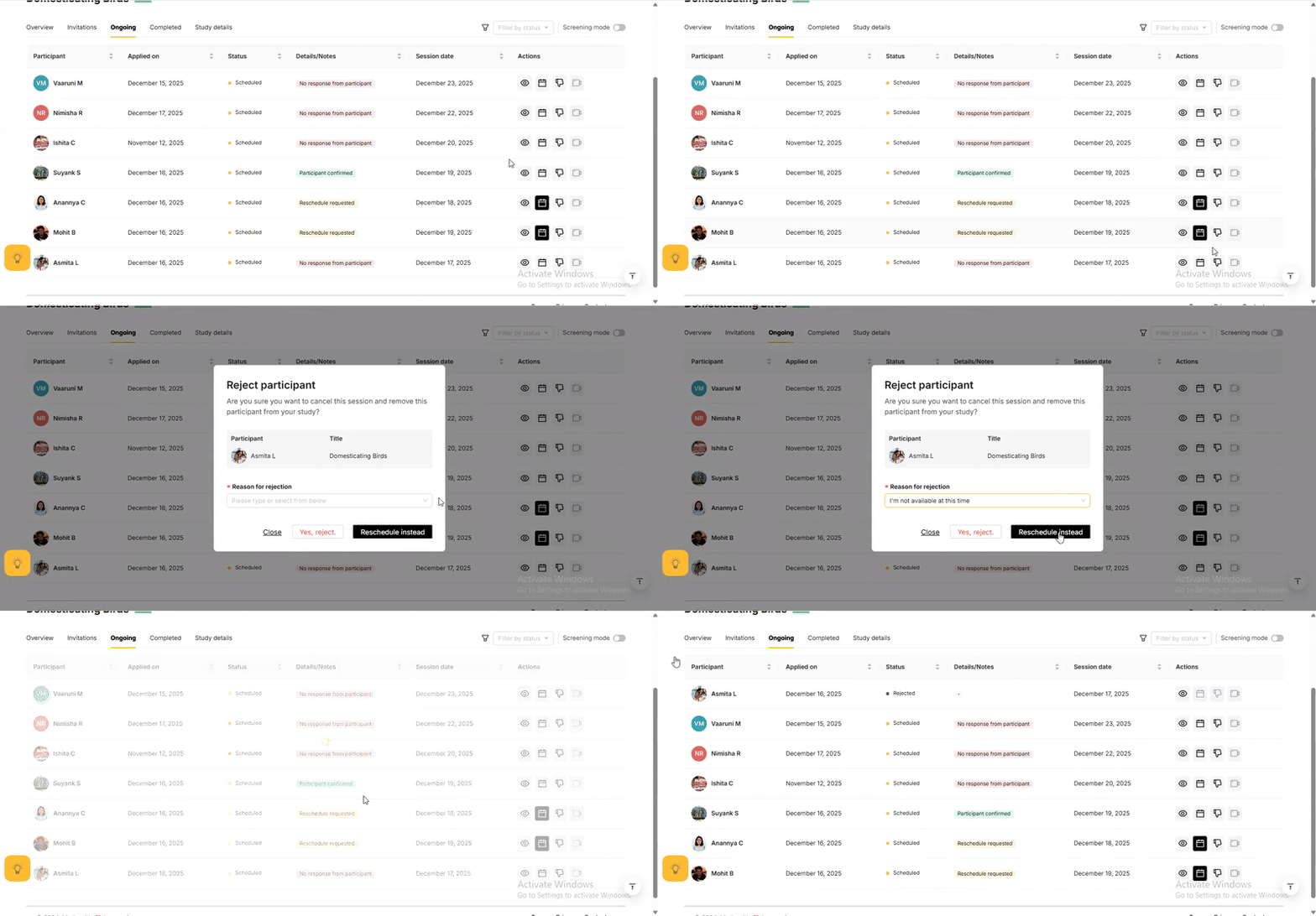

You cannot Cancel Sessions 1 hour before the Session start time.

Once you Cancel a Session, the Participant cannot be re-invited to the same Study.
Related Articles
🕵️♀️ I need the Participant's phone number, email or other PII
For your safety and the Participant’s, you cannot access or collect any Personally Identifiable Information (PII) through Poocho. Sharing or requesting PII of any kind, like Participant addresses Phone numbers Social Media IDs Medical Records is not ...🎡I can’t make it to a Session anymore. Can I Reschedule it?
Absolutely — life happens! First, find the Participant you want to Reschedule with. After this, there are two ways of Rescheduling a Session: 1. From the Participant's drawer: Click on the Participant's name. Go to the 'Availability' tab. View their ...💳 What if a Participant Misses a Session?
If a participant misses their Session, you won’t be charged. You will be able to reschedule the Session with them.🎡 My participant was a no-show. What should I do?
This is extremely unfortunate. No-shows are frustrating we know they can disrupt your schedule (and ours too). From Poocho, Participants receive multiple reminders and nudges to confirm and attend their sessions. Yet, sometimes they do not make it. ...🎡 Can you confirm a Participant's attendance for me?
You will be so happy to know that the platform asks for confirmations automatically! ??? Participants receive email and (if they’ve consented) WhatsApp notifications prompting them to confirm their upcoming Sessions. These reminders go out ...