🎡 Viewing Participants’ RSVP statuses
There are multiple ways of knowing a Participant's RSVP status.
1. From the 'Ongoing' tab
Go to your 'Ongoing' tab and look under the ‘Status’ column. Here, you can see the three statuses: Participant confirmed, No response from Participant and Reschedule requested.
2. From the colour-coding
1. Go to your Study dashboard
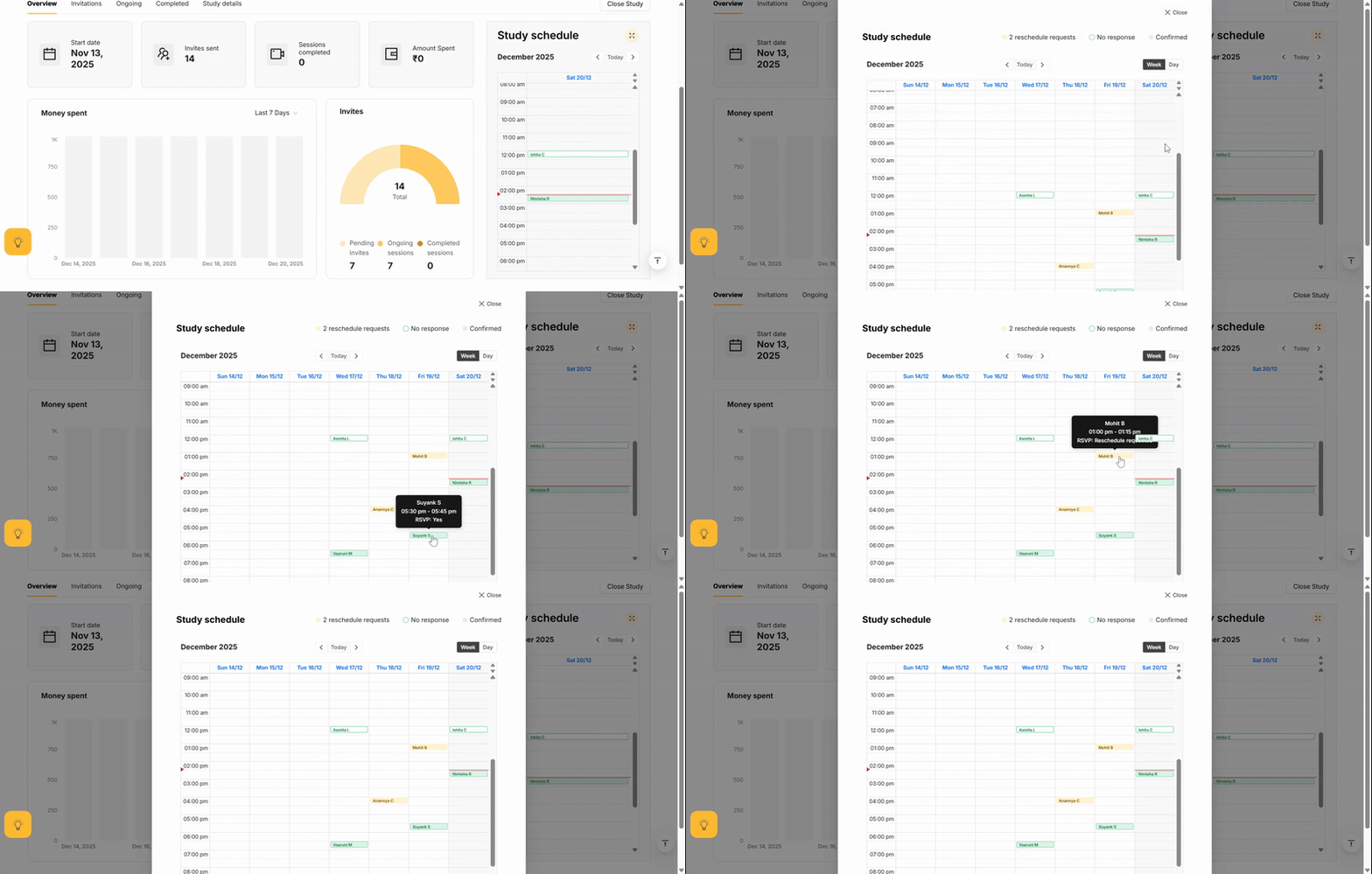
2. Click on the expansion button near 'Study Schedule'. The Sessions are colour-coded by RSVP status.
Green (filled-in)
The Session is confirmed.
Green (outline-only)
No response to our requests for confirmation,
Yellow
Reschedule requested.
3. From hovering over the Session
1. Go to your Study dashboard for this as well
2. Click on the expansion button near 'Study Schedule'.
3. You can hover your cursor over the Sessions to get more details on the Session.

If the Session is about to start and the participant hasn’t confirmed, you may want to reschedule.

It’s a good idea to slightly overbook Sessions to cover for last-minute no-shows.
Related Articles
💳 Viewing invoices
All your tax invoices live in one convenient place — across all studies — ready for you to view, download, or share with your team. Open your Dashboard Hover over your profile icon Go to Payments Go to invoices. Viewing invocies🕵️♀️ How Participants get onboarded
When you Schedule a Session, Participants receive email and WhatsApp notifications. This includes multiple reminders and RSVP requests. Before joining the session, they’ll consent to the meeting being recorded. You’ll have access to the full Session ...🎡 Keeping track of Participants
Your Post-launch dashboard helps you track Participants through every stage of their journey: Invited Participants you’ve invited before launch. Applied Participants who have completed your Screener. Ongoing Participants currently Scheduled, ...🎡 Session reminders for Participants
You will be happy to know that the platform reminds Participants about their Sessions automatically! ??? Participants receive email and (if they’ve consented) WhatsApp notifications reminding them of their sessions. These reminders go out multiple ...🎡 Communicating with Participants
We are currently working on a feature that would allow you to communicate directly with Participants through the platform. Unfortunately, in the meantime, we are not able to personally reach out to Participants. Participants consent to receiving very ...