🕵️♀️ Finding your Participants
Poocho gives you access to a curated, in-house panel of real people excited to share their opinions. Use our filters to narrow down on your dream Participants. We have demographic filters such as gender and age, and even nerdier filters like Last session date, Internet browsing behaviour and Investments.
Click any profile to view full Participant details. Found a match? Hit “Select Participant” in the top-right.
To view only your picks, toggle “Show only selected” at the top of the panel.
When you’re ready, click “Save and continue.” Feel free to come back to this step anytime you want to add more people.
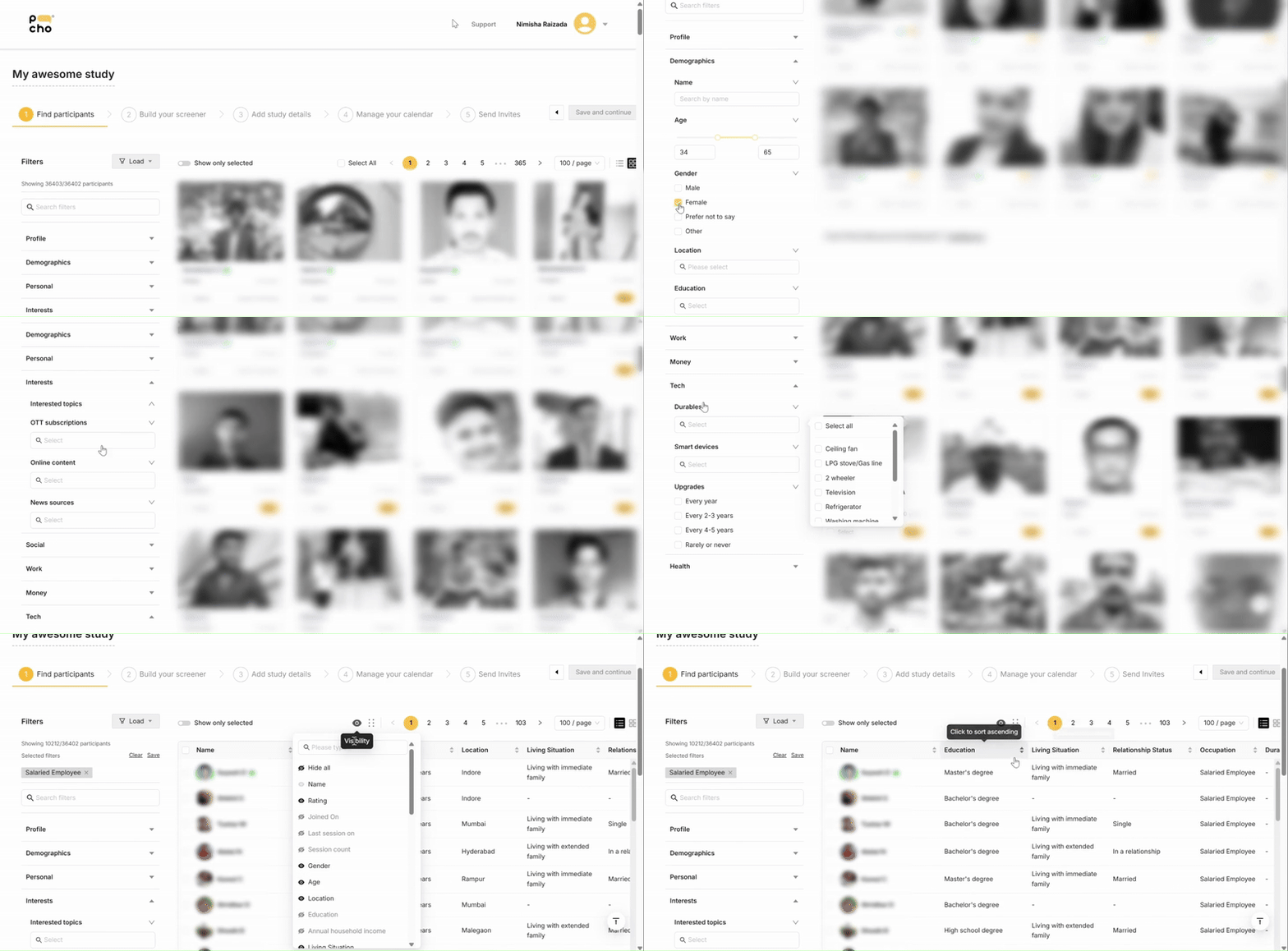

Save your favourite filters so you can find your target audience faster next time.
Related Articles
🎡 Keeping track of Participants
Your Post-launch dashboard helps you track Participants through every stage of their journey: Invited Participants you’ve invited before launch. Applied Participants who have completed your Screener. Ongoing Participants currently Scheduled, ...🎡 Session reminders for Participants
You will be happy to know that the platform reminds Participants about their Sessions automatically! ??? Participants receive email and (if they’ve consented) WhatsApp notifications reminding them of their sessions. These reminders go out multiple ...🎡 Communicating with Participants
We are currently working on a feature that would allow you to communicate directly with Participants through the platform. Unfortunately, in the meantime, we are not able to personally reach out to Participants. Participants consent to receiving very ...🎡 Communicating with Participants
At the moment, we don't have a feature for you to communicate directly with Participants. We are working to bring that in! For now, if you need clarify any details from your Participant, please ask on your WhatsApp group, We will see how we can help!🕵️♀️ How Participants get onboarded
When you Schedule a Session, Participants receive email and WhatsApp notifications. This includes multiple reminders and RSVP requests. Before joining the session, they’ll consent to the meeting being recorded. You’ll have access to the full Session ...