🎡 Inviting Team Members
You can invite teammates at two points.
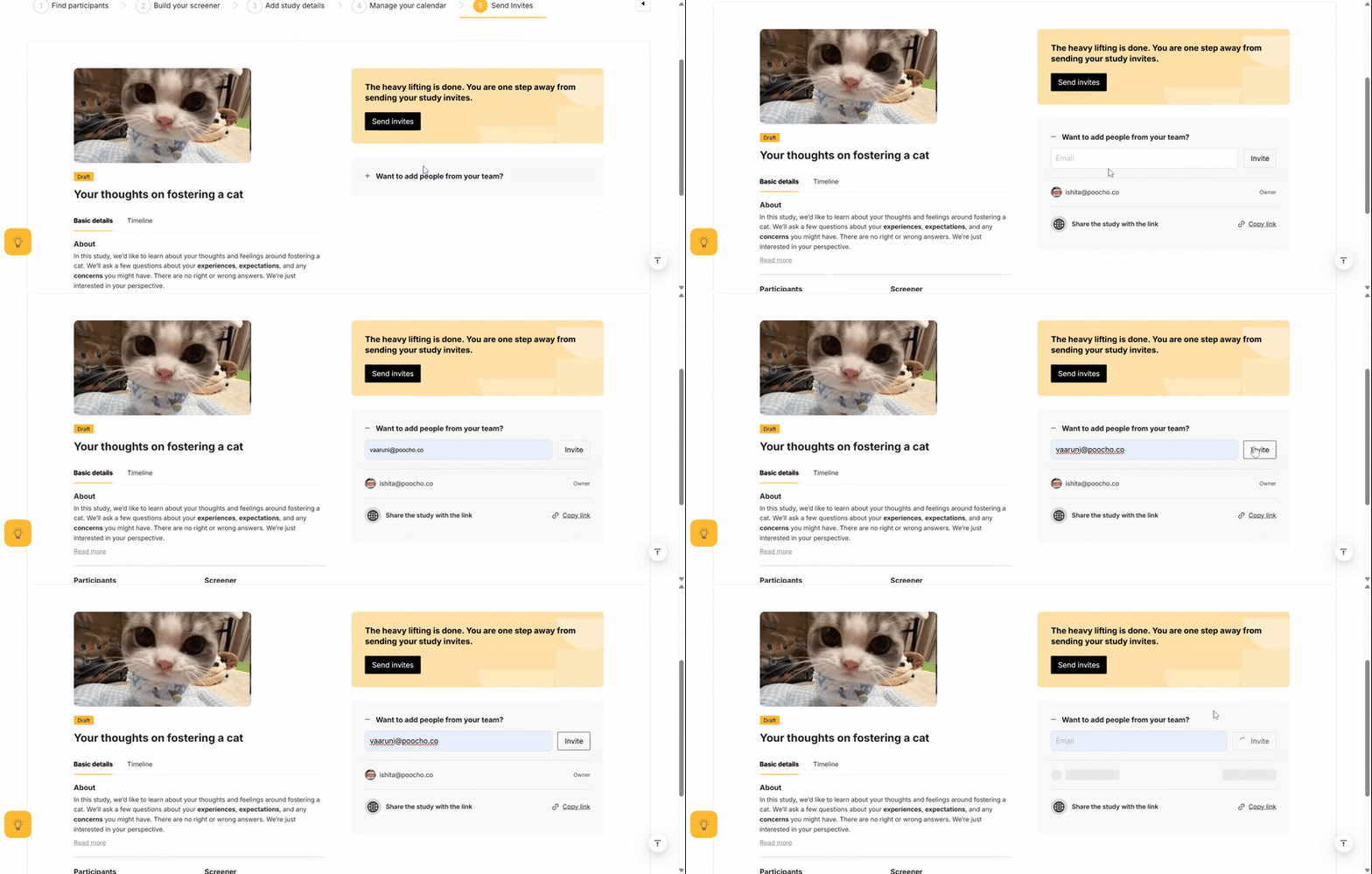
Before launch
In the final step - 'Send Invites' - click on 'Want to add people from your team?'
After launch
- Go to your Study Dashboard.
- Go to the Overview tab.
- Click the ‘+’ icon.

Team members have Edit rights, meaning they can take actions within a study.
Related Articles
🎡 How to duplicate a Study
Need to run a similar Study? Any team member (Editor or Owner) can duplicate a Study. Just click the duplicate icon next to the trash can. Aspects of a Study that can be duplicated: Filter criteria Study details Screener Participant list - All ...💳 Viewing invoices
All your tax invoices live in one convenient place — across all studies — ready for you to view, download, or share with your team. Open your Dashboard Hover over your profile icon Go to Payments Go to invoices. Viewing invocies🎡 How to dispute or terminate a Session
You can always terminate a Session within the first 10 minutes of session start time, if The Participant misrepresented themselves in their profile or application. The Participant has severe articulation issues. Technical issues on the Participant's ...